

















< Blogs

A Complete Guide to Working with Dropsure

Vivan Z.
Created on January 3, 2025 – Last updated on February 6, 20256 min read
Written by: Vivan Z.

If you’re exploring efficient and cost-effective ways to manage your dropshipping business, Dropsure is your ultimate partner. From product sourcing to order fulfillment, we provide a seamless solution tailored for beginners and seasoned sellers alike. This guide will walk you through everything you need to know about working with Dropsure, ensuring your journey is as smooth as possible.

Guidance of registration

1.1 How to register Dropsure?

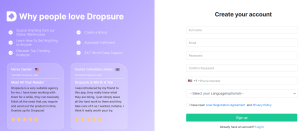
Search our website: https://www.dropsure.com/ Fill out the form below.1.1
1.2 How to link my store?

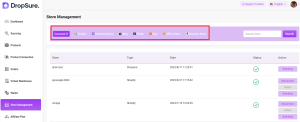
After logging in, connect your Shopify Store to Dropsure by inputting your URL on the search space.

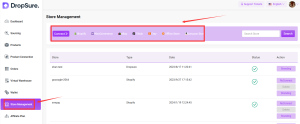
You can check if your Shopify Store has successfully connected to Dropsure by going to the Store Management Page.
1.2

Products

2.1 search and publish product

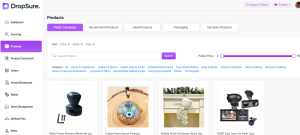
Find the products you need under the ‘Products’ tab and publish them to your store by clicking the small yellow shop icon at the bottom right corner of the desired product image.2.1
2.2 buy products

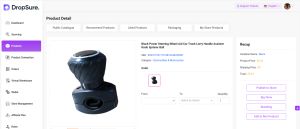
Click ‘Buy Now’ on the Public Catalogue, then complete the following steps on Dropsure.2.2
 2.3 Branding

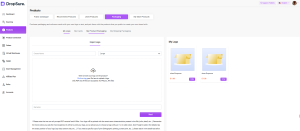
Select packaging under the ‘Products’ tab and upload your own logo. Next, go to the ‘Public Catalogue’, select the product you want, and click ‘Branding’ in the ‘Recap’ column. Then, click ‘Select’ to choose the logo you uploaded.2.3
Orders

3.1 connect your store and sync orders

First, you click the “store management” to connect your store, it’s very easy to operate.
3.1

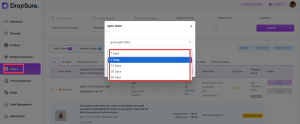
Then you can click”Order” tab to check your orders, sync your orders of the store for some days.3.1.1
 3.2 Ask for quotation

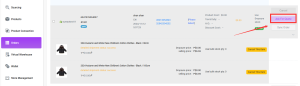
You can click “Ask for Quote” to get quotation for your orders. Usually it may take about 24 hours. If you are in a hurry, please contact our agents.3.2
3.3 Order fulfillment

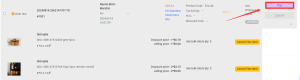
After we give you quotations, you can pay for your orders. After you pay for your orders, they will be moved to the Processing tab. We will start processing ASAP and meet all your requirements to the factories. This usually may take about 1-3 days, and our processing team will make a careful quality check and double-check with shipping carriers before shipping.3.3
Delivery and Tracking for your orders

 4.1 Check orders

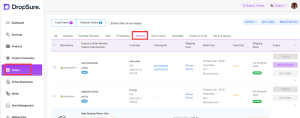
After you pay, your orders will be moved to “shipped” button, you can check all your fulfilled otders here. For shipping channels, we are cooperating with many big shipping companies in China, like yun, CNE, 4px and so on. We will match the suitable shipping line for your every order.4.1
 4.2 Track orders

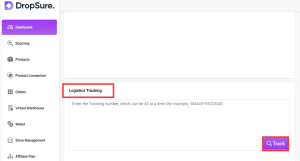
If you want to check the tracking information, please copy the tracking number and track on Dashboard, maximum is 40 orders each time.
4.2

After Sales Service and Communication

As for our after sales policy, you can check at the bottom of the website “faqs”.

And you can also contact your personal agent to discuss more details on Dashboard.
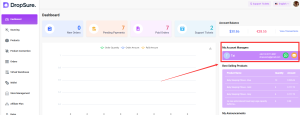
5.1

Wallet

6.1 Recharge Methods

Currently, we use PayPal and bank transfer to top up balance most frequently. And we can provide Bonus for bank transfer. And you can also use air wallex to pay for each order.6.1
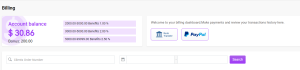
6.2 Invoice

If you want to download invoice, just click here.
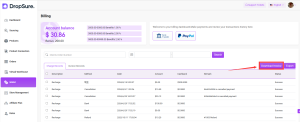
6.2

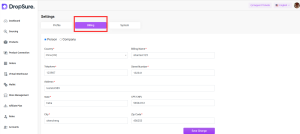
But the default name and address are your account name and email address. If you want to change to your company’s info, just click your avatar, then fill the blanks of Billing, then the exported invoice will be the address you filled here.6.22
Affiliate Plans

With the booming dropshipping business, there is always more than one way to expand your business empire, one of which is joining affiliate marketing. In this tutorial, we will walk you through how Dropsure Affiliate works.

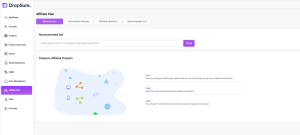
1.Get your affiliate links from your Affiliate Dashboard as shown in the image:7.1
2.Send your friends your affliate link
3.Your customer registers an account through your referral link
4.Whenever your customer places an order, you will receive a 1% commison on every single deal.

Note: if your customer wants to place a big order, you can contact the customer manager directly, and you will discuss a commission different from the fixed rate.;

Customize fulfillment settings

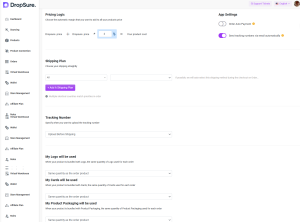
Our website also supports personalization. You can check on avatar, and setting tab.

For example:
1: Each country uses different channels
2: Fulfill orders before ot after shipping
3: Your Personalization products will be used for same quantity as the order product or just one product.8.1
In conclusion, Dropsure offers an all-encompassing solution for your dropshipping business, simplifying every step from registration to order fulfillment and delivery tracking. With user-friendly tools, customizable options, and excellent after-sales support, Dropsure empowers you to streamline operations and focus on growing your business. Whether you’re just starting or looking to scale, Dropsure is the trusted partner to help you succeed in the competitive world of e-commerce. Get started today and experience the Dropsure difference!
Buttom

DropSure is Your Best Partner
22 Years Experience
Affiliate Rebates
100% Quality Guarantee
Top-Up Rewards
10+ Global Warehouses
Custom Branding Support
Smart inventory System
24/7 Customer Support
Get a Quote in 24 Hours
Start Sourcing for Free

Keep Learning

Starting a dropshipping business with little to no money might sound impossible, but with the right approach and resources, you can make it happen. This comprehensive guide will walk you through each step, from finding the right niche to selecting the best suppliers and promoting your products for free. By leveraging free tools, platforms, and social media, you can minimize upfront costs while maximizing your business potential. Whether you’re a beginner or looking to expand your current setup without breaking the bank, this guide has all the tips you need to start dropshipping effectively. Can I Start Dropshipping For Free? Yes! you can start dropshipping with minimal upfront costs, but it’s important to note that a completely free setup is nearly impossible. Some expenses, like domain fees or marketing tools, may arise. However, by learning how to minimize these costs, you can get started without breaking the bank. There are free platforms available where you can set up your store, and many services offer free trials, allowing you to test their features without paying initially. You can also use apps and websites that provide free tracking, data feedback, and other useful tools to optimize your business. With the right approach, you can control unnecessary spending and make the most of available resources to build a successful dropshipping store. How to Start Dropshipping with No Money? To successfully start dropshipping with no money, follow these key steps to build your business from the ground up while keeping costs low. Let’s break it down step by step: 1.Find Your Niche & Profitable Products 2.Choose The Best Dropshipping Supplier 3.Find A Free Online Selling Store 4.Free SNS For You to Promote Products Step […]

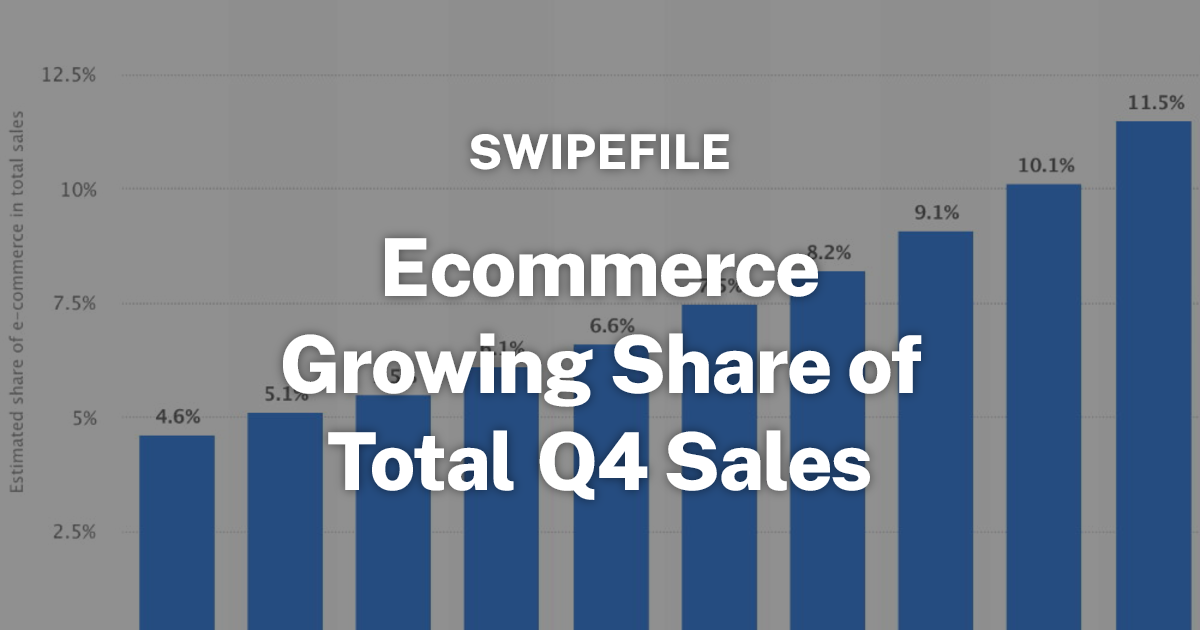
The fourth quarter (Q4) represents the peak sales season for e-commerce businesses, driven by major shopping events such as Black Friday, Cyber Monday, and the holiday season. For sellers aiming to maximize revenue, a well-structured strategy combining data-driven decisions, operational efficiency, and targeted marketing is crucial. Here’s how to set your store up for exponential growth in Q4. 1. Data-Driven Product Selection Success in Q4 starts with choosing the right products: Analyze Market Trends: Use historical sales data and trend analytics to identify categories with rising demand. Focus not just on high-volume items, but also on products with strong profit margins and low saturation. Prioritize Potential Best-Sellers: Evaluate sales velocity, reviews, and competition. A product that is trending but not oversaturated can yield significant returns. Leverage Predictive Tools: Tools that forecast market demand can help you anticipate popular items before competitors, giving you a first-mover advantage. Tips: Regularly monitor “hot product lists” and update your inventory weekly to ensure you’re stocking items that buyers are actively searching for. 2. Optimize Your Store for Conversion High traffic alone does not guarantee revenue. Conversion optimization is essential: Improve Product Listings: Craft clear, benefit-focused product titles and descriptions. Include keywords that match search intent for Q4 shoppers.   Visual Content: High-quality images and short product videos showcasing usage scenarios increase buyer confidence and engagement. A/B Testing: Test different layouts, call-to-actions, and promotional messaging to identify what drives higher click-through and purchase rates. Tips: Prioritize mobile optimization—Q4 shoppers often browse and purchase via smartphones. 3. Strategic Promotions and Discounts Promotions during Q4 are a major driver of sales, but they need to be planned carefully: Limited-Time Offers: Create urgency with flash sales, countdown timers, and exclusive bundles. Early-Bird Campaigns: Launch promotions ahead of major […]

As a communication tool with more than 2 billion monthly activities worldwide, WhatsApp has become a ‘golden channel’ for foreign traders to develop customers. I am well aware of the advantages and challenges, and I have also experienced all kinds of problems such as being stuck by the CAPTCHA when registering, and being banned when raising the number inadvertently. You, on the other hand, are probably facing the same problems, and even missing out on valuable orders as a result. Today, I will share my experience with you from the registration, raising the number, anti-blocking to customer acquisition of these four key links, to help you avoid risks and improve efficiency. Remember to bookmark it and be at the forefront of success! Download and Install  IOS Open the App Store, enter ‘WhatsApp’ in the search bar, find the official app and click ‘Get’ to download. After downloading, open the app and the system will automatically guide you to the registration process. Android Go to Google Play Store, search for ‘WhatsApp’ and click ‘Install’ button to download. Once the download is complete, open the app and follow the prompts to enter the registration page. PC At present, WhatsApp does not support direct account registration on PC. You need to complete the registration on your mobile phone first, and then sync WhatsApp to PC by scanning the QR code, just visit WhatsApp Web and scan the QR code with WhatsApp on your mobile phone to complete the sync. Mobile Number Verification When registering for a WhatsApp account, you will need to bind a mobile phone number. It is recommended to use a physical SIM card that supports international messaging (e.g. Google Voice […]